Our Location
304 North Cardinal St.
Dorchester Center, MA 02124


Every WordPress site ships with the same login URL: /wp-login.php. Bots know this. They hit it thousands of times a day, cycling through stolen credential lists, hoping something sticks.
If your site has no protection in place, nothing stops them from eventually getting in — or from slowing your server to a crawl while they try. That’s an unsettling thought, but it’s also completely fixable.
Quick Answer: WordPress has no login protection built in — no rate limiting, no lockout, no way to hide the login page. Four layers close the gap: rate limiting, a custom login URL, IP whitelisting/blacklisting, and geo-blocking. BruteFort handles all four from one settings panel.
WordPress login security isn’t complicated, but it does require intentional setup. The default installation does almost nothing to stop repeated failed attempts. This guide covers exactly what attackers exploit, and the layers that actually stop them.
The login page at /wp-login.php is publicly accessible on every WordPress site by default. It never changes unless you change it. Automated scanners find it in seconds by probing known paths — no guesswork needed.
Once a bot finds your login page, it can attempt hundreds of username and password combinations per minute. Most hosting environments won’t block this automatically. WordPress itself doesn’t limit login attempts out of the box, so an attacker can keep trying indefinitely unless you put something in their way.
Brute force attacks are the most common. A bot tries username and password combinations — often starting with “admin” — until it finds one that works. The attack is dumb but effective against unprotected sites.
Credential stuffing is more targeted. Attackers take username/password pairs leaked from other breaches and try them against WordPress login pages. If your users reuse passwords from other sites, they’re vulnerable even with a strong unique password on your site.
Dictionary attacks fall between the two. Instead of random combinations, the bot uses lists of the most common passwords — “password123,” “qwerty,” “letmein” — against a known username. Faster than a full brute force, and unfortunately effective against weak passwords.

No single measure is enough on its own. Effective WordPress login security is built in layers, each one adding friction that bots and attackers can’t easily bypass.
BruteFort brings all four of these layers together in one settings panel — the breakdown below walks through each using it.
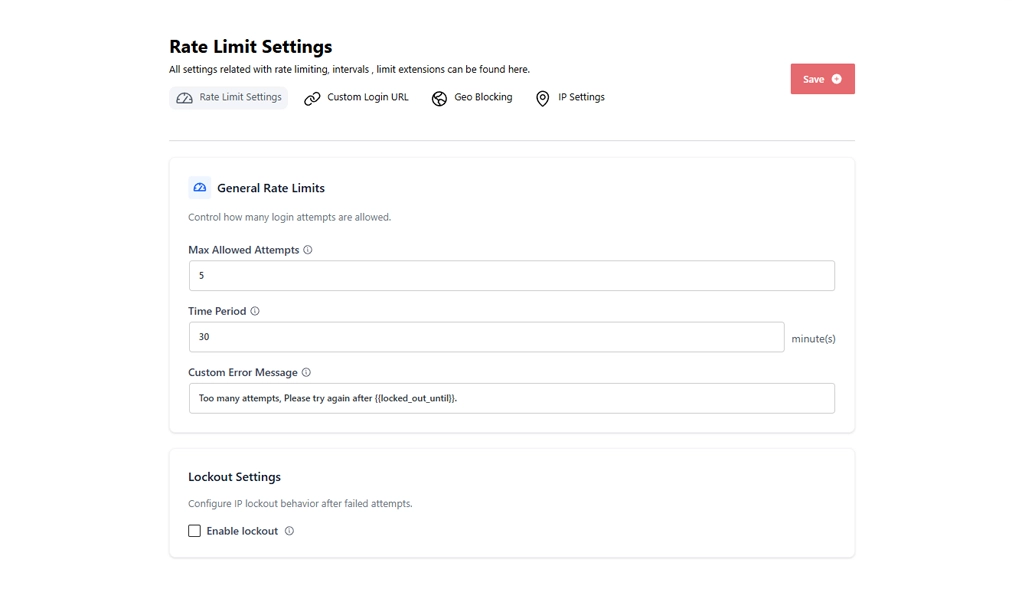
This is the most fundamental protection, and the one to configure first. In BruteFort’s settings panel, cap how many failed login attempts are allowed from a single IP within a time window — 5 attempts in 30 minutes is a solid starting point — and set the lockout window and the error message the attacker sees, all with no code required. Automated attacks become impractical fast: most brute force tools move on once they hit the limit. See our full step-by-step guide to limiting login attempts for exact settings.
If a bot can’t find your login page, it can’t attack it. BruteFort’s Custom Login URL feature moves /wp-login.php to a custom slug of your choosing — something unpredictable like /site-access — in about 30 seconds. Bots that scan for the default path get a 404 instead of a login form to attack.
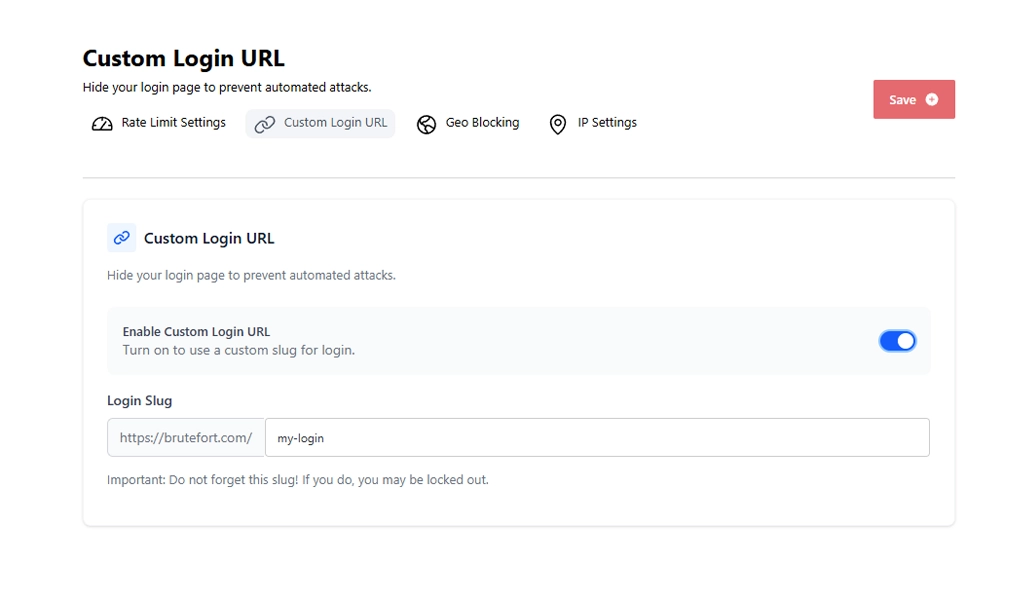
Important: Write down your custom login slug before saving it. If you forget it, you can get locked out of your own site.
For IPs that repeatedly fail authentication, BruteFort’s IP Settings tab lets you add a permanent block in a couple of clicks. On the other side, whitelisting known trusted IPs — your office, your home — ensures you never lock yourself out even with aggressive rate limiting in place. Both lists are searchable and filterable by type.
If your site serves users in specific countries, BruteFort’s Geo Blocking cuts off login access from everywhere else — in blacklist mode (block selected countries) or whitelist mode (allow only selected countries). It won’t stop every attack — VPNs exist — but it eliminates an enormous percentage of the automated traffic that originates from known high-volume attack regions.
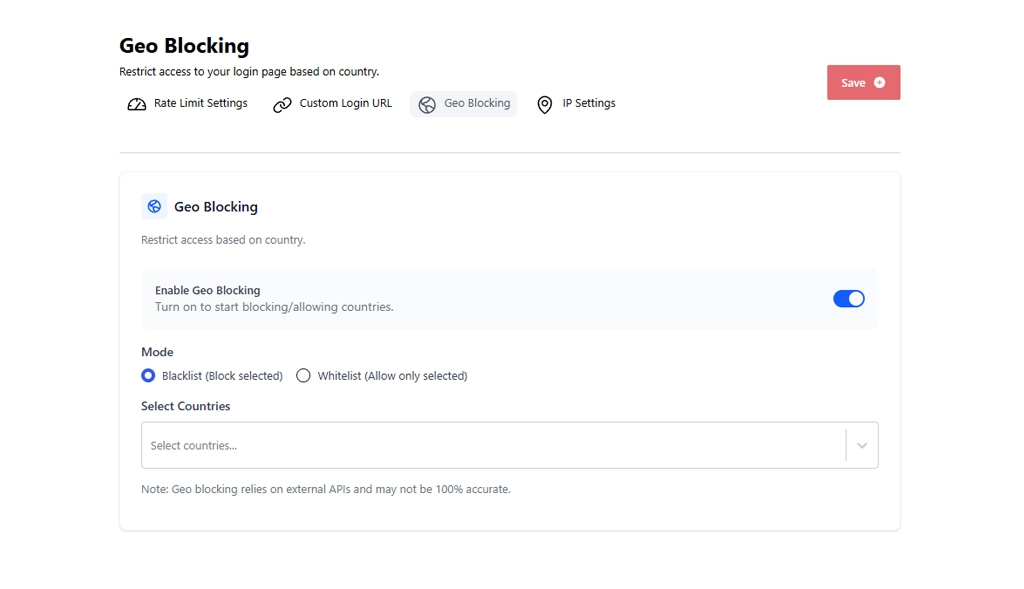
Rate limiting, a custom login URL, IP rules, and geo-blocking — all four sit inside one BruteFort settings panel.
It’s worth being explicit about WordPress’s default posture. Out of the box, WordPress has no rate limiting on login attempts, no lockout mechanism, no way to move the login URL, and no IP management. It will let a bot attempt a login thousands of times without complaint.
Two-factor authentication helps significantly and is worth adding. Strong, unique passwords are essential. But neither of those alone stops a bot from trying — they just make each attempt less likely to succeed. Rate limiting and URL obfuscation stop the attempts themselves.
No. WordPress does not limit login attempts, lock out IPs, or restrict access to the login page by default. All of that requires either a plugin or server-level configuration. This is one of the most common security gaps on unprotected WordPress sites.
It’s a strong first layer, but not sufficient alone. A custom login URL stops automated scanners that probe the default path. It doesn’t stop an attacker who already knows your URL or discovers it through other means. Combine it with rate limiting and strong passwords for meaningful protection.
A focused login security plugin like BruteFort adds negligible overhead — it only activates on login page requests, which are a tiny fraction of your total traffic. Full-suite security plugins that scan files, monitor traffic, and run constant checks can have more of a performance impact, but that’s a different category of tool.
Check your login logs. BruteFort’s Logs section records every lockout event with the IP address, number of failed attempts, and timestamp. If you’re seeing repeated entries from the same IP or cluster of IPs, an attack is in progress. Blocking those IPs manually from the IP Settings tab stops them immediately.
Yes. Any form that authenticates users against your WordPress database is a potential attack surface. BruteFort covers the WordPress login system, which typically covers WooCommerce and most membership plugin logins since they use the same authentication layer.
Login attacks are constant and automated. The good news is that a few targeted protections — rate limiting, a custom login URL, and IP management — make your site dramatically harder to attack without meaningfully adding to your maintenance burden. BruteFort handles all of them from a single settings panel.
If this guide helped, follow us on social for more WordPress security tips. You might also like:

