Our Location
304 North Cardinal St.
Dorchester Center, MA 02124


Nobody is sitting at a keyboard trying to guess your password. That’s the part most site owners get wrong when they picture an attack. Attacks against WordPress sites are almost entirely automated.
It’s not personal, and it’s not because your site looks vulnerable. Bots — scripts running on networks of compromised servers — scan millions of sites at once, probing the same paths and trying the same credential lists on every one. No human is watching. No human needs to.
Understanding how bots operate shows exactly why certain defenses work and others don’t. Bots have predictable behavior, and that predictability is their weakness. This guide walks through each stage of a typical attack and the setting that shuts it down.
Quick Answer: Bot attacks follow four predictable steps: find your login page, test credentials at scale, distribute attempts to dodge detection, then exploit any successful login. A custom login URL breaks step one. Rate limiting breaks step two. Together, they stop the vast majority of automated attacks before they get anywhere.
Bots don’t need to guess where your login page is. WordPress installs it at /wp-login.php on every site. A bot scanning a range of IP addresses or a list of domains just appends that path and checks for a valid login form. If it finds one, the site goes into the attack queue.
This discovery phase is completely silent from your side. No error, no slowdown, no alert. Your site just gets logged in a database somewhere, and the credential-testing phase begins.
Once a valid login page is confirmed, bots start submitting credential pairs. Most start with the username admin — still the most common WordPress username on older installs. From there they cycle through password lists: common passwords first, then lists pulled from public data breaches.
Speed depends on the bot and your server’s response time, but hundreds of attempts per minute is typical. Without rate limiting, WordPress accepts each attempt, checks it, returns a failure, and waits for the next one. Indefinitely.

More sophisticated bots distribute their attempts across many IP addresses to dodge simple IP-based blocking. Instead of 1,000 attempts from one IP, they’ll send 10 attempts each from 100 different IPs — making each one look almost normal. This is why IP blocking alone isn’t enough: rate limiting needs to work at the account or session level too, not just per IP.
They also throttle requests to stay under alert thresholds and rotate user agents to blend in with real browser traffic. This infrastructure often runs on botnets of compromised devices — home routers, IoT devices, web servers — that were hacked themselves and are now launching points for someone else’s attack.
If a credential pair works, the bot usually doesn’t do anything visible right away. It creates a new admin account as a persistent backdoor, installs a web shell for server-level access if possible, and reports the compromised site back to whoever runs the operation. Actual exploitation — spam injection, redirects, malware — often happens hours or days later, from a different IP, using the backdoor account.
Bots rely on predictability — the same paths, the same credential lists, the same patterns. That predictability is exactly what makes a few targeted defenses so effective.
BruteFort implements the defenses below directly, which is why they work as well as they do against automated bots.
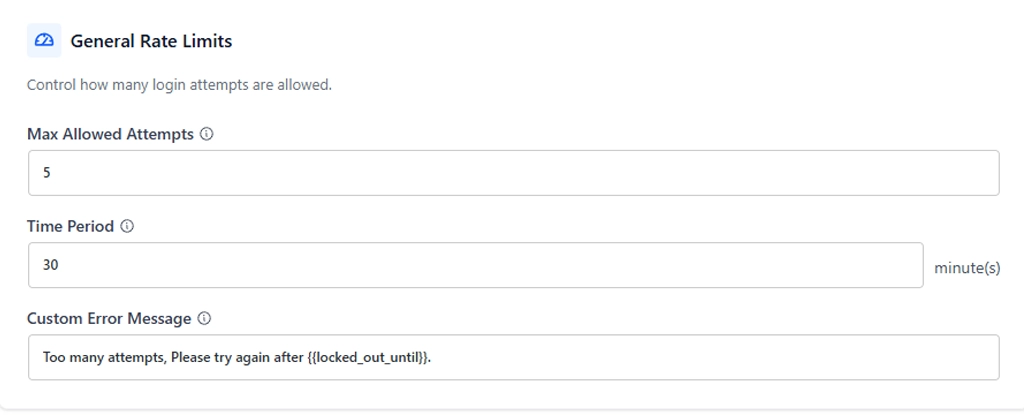
Start with rate limiting, since it breaks the attack at step 2. Set BruteFort to lock out an IP after 5 failed attempts in 30 minutes, and the bot either stops or moves on. Even a distributed attack slows to a crawl once every participating IP hits that same lockout after a few tries.
From there, turn on a custom login URL to break the attack at step 1 instead. Move your login page off the default /wp-login.php path to something of your choosing, and bots probing the default path get a 404 before they ever reach the credential-testing phase.
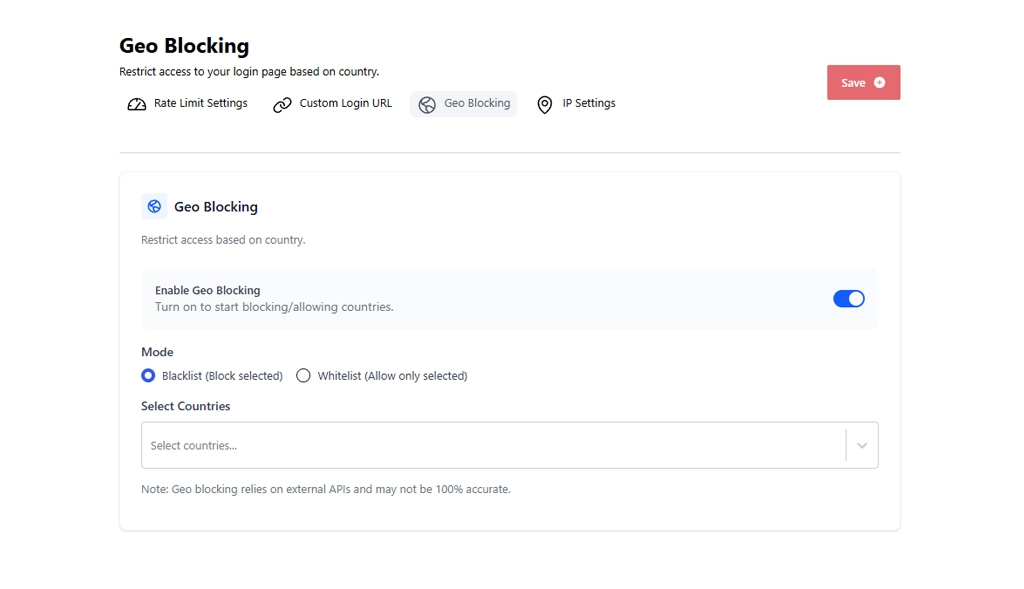
If your users are concentrated in one geography, add geo blocking as a third filter. A significant share of automated attack traffic comes from a small number of regions, so picking your countries and blocking everywhere else eliminates a large chunk of bot traffic before it even reaches the rate limiter.
BruteFort’s Logs screen is the most direct way to check. Every IP that triggers a login lockout is recorded with the attempt count and timestamp. Unexpected entries there mean automated attack traffic is already finding your site. Server access logs can also show unusual patterns of POST requests to /wp-login.php if you have access to them.
No. Bots also probe for known plugin vulnerabilities, scan for exposed configuration files, and test for common misconfigurations. But the login page is the most commonly targeted path, because a successful login gives immediate, persistent admin access. Protecting it is the highest-priority defense for most WordPress sites.
It helps. Most credential lists lead with “admin” as the username, so a unique username forces bots to guess both the username and password correctly. But it’s not complete on its own — bots also use emails and usernames from breach databases. Rate limiting is a stronger defense, since it stops the attempts entirely after a few failures, regardless of what username the bot tries.
Yes. Bots don’t select targets based on traffic or value — they scan everything. A personal blog with 50 monthly visitors gets the same automated probing as a high-traffic ecommerce site. Low-traffic sites are often easier targets, because their owners are less likely to have security measures in place and less likely to notice when something goes wrong.
Bot attacks are relentless and automated, but they’re also predictable. Moving your login URL and adding rate limiting turns a viable attack into a dead end. BruteFort sets up both in minutes, with no configuration complexity.
You might also like:

